
Spending 2 Hours Daily on Email Support? Reclaim Your Time with an Integrated Platform

Are you spending excessive time on business email responses? From scientific approaches to integrated platforms, discover revolutionary improvement methods for efficient email handling.
Are you spending enormous amounts of time handling business email inquiries? Template management, ticket systems, chatbots… implementing them individually only inflates costs and management burden. This article introduces revolutionary improvement methods for email handling, from efficiency techniques based on scientific approaches to integrated solutions that realize all of these on a single platform.
Time Required for Business Email Inquiry Handling and Its Challenges
Average Response Time and Field Reality
Business email inquiry handling requires far more time than imagined. According to research by the Japan Business Mail Association, reading one email takes an average of 1 minute 23 seconds, and composing a reply takes over 3 minutes. Business professionals processing 50+ emails daily are not uncommon, with cases spending over 2 hours daily just on email handling being frequent.
Particularly serious is the problem of spending most of the morning on email handling, unable to concentrate on core business tasks.
Why Does It Take So Much Time?
The three main reasons inquiry handling takes time:
1. Difficulty in Information Organization and PrioritizationWhen multiple inquiries arrive simultaneously, numerous tasks arise for each case: judging urgency and importance, confirming past exchanges, and gathering related information.
2. Burden of Non-Standard and Individual ResponsesContent that cannot be handled with templates and individual reply creation considering past exchanges require more time and effort.
3. Complexity of Confirmation and Approval FlowsWhen internal coordination or supervisor confirmation is needed, responses take time, keeping customers waiting.
Field Example: Mornings End with “Email Handling Only”
At one manufacturing company, inquiry responses sometimes took an average of 3-5 days. Staff spent most mornings processing emails, falling into a vicious cycle of continued additional inquiries from customers and internal confirmation exchanges.
Impact on Operational Efficiency and Customer Satisfaction
Response delays lead to decreased customer satisfaction, reduced deal closure rates, and increased staff stress. The evaluation that “companies with quick responses are trustworthy” is a crucial element directly connected to business growth.
Email Handling Efficiency Through Scientific Approaches
Information Organization and Prioritization Theory
Efficient business email processing requires information organization and clear prioritization. According to Pareto’s Law (the 80:20 rule), approximately 80% of overall inquiries tend to concentrate on specific 20% of themes or questions.
Utilizing this law enables identifying frequent patterns and standardizing response methods. As a result, cognitive load decreases and processing speed improves.
Additionally, psychological research shows that multitasking reduces work efficiency. The method of handling email in concentrated batches at designated times, processing one at a time, is effective.
Business Flow Visualization and Bottleneck Analysis
Visualizing email handling flow and identifying bottlenecks (time and burden points) at each stage is the first step toward efficiency.
Representing the flow from inquiry reception through staff assignment, reply content creation, to sending in a flowchart clarifies which processes take time. In the business improvement field, bottleneck resolution is key to productivity enhancement.
Concentration Peaks and Time Zone Utilization
Concentration and cognitive function are influenced by the body clock (circadian rhythm). Many studies indicate 2-3 hours after waking as the cognitive function peak.
Concentrating important email replies during this time improves processing quality and speed. Meanwhile, afternoons see easier energy decline, making it efficient to allocate less burdensome tasks like routine work and simple communications.
Three Techniques for Efficient Email Reply
Three basic approaches are considered fundamental for email handling efficiency.
1. Template and Standard Text Utilization
Using pre-prepared templates for similar inquiries can significantly reduce reply time. However, template management and updates tend to become complex.
2. Automation Tool Implementation
Implementing tools for email sorting, auto-reply, ticket management, etc. However, combining multiple tools is necessary, and inter-system coordination becomes a challenge.
3. Email Management Optimization
Using folders and labels for organization, setting automatic sorting rules, etc., clarifies priorities. However, setup and maintenance require effort.
Key Points for Efficiency Without Compromising Quality
When advancing efficiency, the following two points are important:
1. Manual and FAQ DevelopmentResponse standardization reduces errors and enables consistent level responses even from newcomers. However, creation and updates require considerable time.
2. Maintaining PersonalizationEven when using templates, adding a line based on customer names and past exchanges avoids mechanical impressions.
Importance of Internal Structure and Education
Knowledge Sharing MechanismsSharing success cases and response know-how across the organization reduces dependence on specific staff and standardizes response quality.
Continuous EducationEnhance member skills through e-learning and role-playing.
Traditional Method Limitations: Challenges Individual Implementation Cannot Solve
The methods introduced so far are all effective. However, attempting individual implementation faces four major barriers:### 1. Cost and Effort Problems
Template management, ticket systems, chatbots, FAQ systems… implementing each as separate tools inflates both initial and operational costs.
2. System Disconnection
Customer information scatters across multiple systems, making response history tracking difficult. Risks of duplicate responses and response gaps increase.
3. Learning and Adoption Difficulty
Mastering multiple tool operations takes time, increasing newcomer training burden.
4. Data Fragmentation
Data is managed separately in each tool, making overall analysis and improvement activities difficult.
What’s needed is an “integrated platform."If there were a solution where necessary functions are consolidated into one system and fully coordinated, these challenges could be resolved at once.
The next section introduces “SmartWeb,” the integrated customer support platform that realizes this ideal.
Revolutionary Efficiency in Inquiry Handling with SmartWeb
What is SmartWeb?
SmartWeb is a next-generation platform integrating LiveAgent (ticket system) and FlowHunt (AI automation). It realizes all the efficiency techniques introduced in the previous chapter in one system.### Correspondence Table: Traditional Efficiency Methods and SmartWeb Functions
| Traditional Efficiency Method | Challenge | SmartWeb Corresponding Function |
|---|---|---|
| Templates/Standard Text | Complex management, lacks flexibility | AI email auto-response generates situation-appropriate replies automatically |
| Automation Tool Implementation | Managing multiple tools, difficult coordination | LiveAgent ticket system integrates everything |
| Email Management Optimization | Setup/maintenance effort | Automation through automatic sorting and priority setting |
| Manual/ FAQ Development | Time-consuming creation/updates | Easy creation with knowledge base, automatic utilization |
| Maintaining Personalization | Manual individual responses required | AI response generation automatically adapts to situations |
| Knowledge Sharing Mechanisms | Separate system management required | Naturally realized through full function integration |
| 24-Hour Support | Staff increase required | AI chatbot automated response |
1. LiveAgent Ticket System: Integrated Realization of “Automation Tools” and “Email Management”
Integrating Previously Individually Required FunctionsTraditionally, email sorting tools, ticket management systems, and progress management tools each required separate implementation. With LiveAgent, all of these are included as standard functions.
Key Functions:- Multi-channel Integrated Management: Manage email, chat, and phone in one interface
- Automatic Sorting and Priority Setting: Automatically to appropriate staff based on content and urgency
- Team-wide Visualization: Real-time awareness of who’s handling what
- Complete Response History Storage: Centrally manage all customer interactions
Effects:- Reduce response time by up to 73%
- Eliminate response gaps and duplicate responses
- Reduce multiple tool management costs
Related Article:Complete Guide to Using LiveAgent
2. Knowledge Base: Easy Realization of “Manual/FAQ Development”
Creation and Updates Surprisingly EasyTraditional FAQ systems required HTML knowledge or had complex update procedures. SmartWeb’s knowledge base allows anyone to easily create and update with an intuitive editor.
Key Functions:- Customer Self-Service Portal refers to tools and resources that let customers find answers and solve problems on their own, 24/7, without waiting for support staff—such as FAQs, chatbots, and help centers.”) refers to tools and resources that let customers find answers and solve problems on their own, 24/7, without waiting for support staff—such as FAQs, chatbots, and help centers.") refers to tools and resources that let customers find answers and solve problems on their own, 24/7, without waiting for support staff—such as FAQs, chatbots, and help centers.") refers to tools and resources that let customers find answers and solve problems on their own, 24/7, without waiting for support staff—such as FAQs, chatbots, and help centers.") refers to tools and resources that let customers find answers and solve problems on their own, 24/7, without waiting for support staff—such as FAQs, chatbots, and help centers.") refers to tools and resources that let customers find answers and solve problems on their own, 24/7, without waiting for support staff—such as FAQs, chatbots, and help centers.") refers to tools and resources that let customers find answers and solve problems on their own, 24/7, without waiting for support staff—such as FAQs, chatbots, and help centers.") refers to tools and resources that let customers find answers and solve problems on their own, 24/7, without waiting for support staff—such as FAQs, chatbots, and help centers.")/ “Self-service refers to tools and resources that let customers find answers and solve problems on their own, 24/7, without waiting for support staff—such as FAQs, chatbots, and help centers.”) refers to tools and resources that let customers find answers and solve problems on their own, 24/7, without waiting for support staff—such as FAQs, chatbots, and help centers.") refers to tools and resources that let customers find answers and solve problems on their own, 24/7, without waiting for support staff—such as FAQs, chatbots, and help centers.") refers to tools and resources that let customers find answers and solve problems on their own, 24/7, without waiting for support staff—such as FAQs, chatbots, and help centers.") refers to tools and resources that let customers find answers and solve problems on their own, 24/7, without waiting for support staff—such as FAQs, chatbots, and help centers.") refers to tools and resources that let customers find answers and solve problems on their own, 24/7, without waiting for support staff—such as FAQs, chatbots, and help centers.") refers to tools and resources that let customers find answers and solve problems on their own, 24/7, without waiting for support staff—such as FAQs, chatbots, and help centers.") refers to tools and resources that let customers find answers and solve problems on their own, 24/7, without waiting for support staff—such as FAQs, chatbots, and help centers.") refers to tools and resources that let customers find answers and solve problems on their own, 24/7, without waiting for support staff—such as FAQs, chatbots, and help centers.")-Portal/): Customers resolve common questions themselves
- Internal FAQ: Enables high-quality responses even from newcomers immediately
- Search Function: Quickly discover necessary information by keywords
- AI Chatbot Integration: Automatically presents appropriate articles
Effects:- Auto-resolve 82% of simple inquiries
- Significantly shorten newcomer training period
- Standardize response quality
Related Article:How to Create Effective Knowledge Bases
3. AI Chatbot: Low-Cost Realization of “24-Hour Support”
24/7 Support Without Staff IncreaseTraditionally, nighttime and holiday support required additional personnel. AI chatbots enable constant support without additional costs.
Key Functions:- Immediate Initial Response: Don’t keep customers waiting even outside business hours
- Knowledge Base Integration: Accurate answers based on accumulated information
- Automatic Escalation: Transfer to human operators when users request or for complex questions
Effects:- 100% outside business hours response rate
- Reduce initial response time to zero
- Improve customer satisfaction
Related Article:How AI Chatbot Implementation Transforms Customer Support
4. AI Email Auto-Response Generation: Next-Generation Evolution of “Template Utilization”
Not Just Templates—AI Generates Optimal Responses Based on SituationsTraditional templates were static, requiring situation-based adjustments. SmartWeb’s AI Answer Assistant uses RAG (Retrieval-Augmented Generation) technology, referencing company-specific knowledge bases to automatically generate response drafts optimal for that customer and situation.
Key Functions:- Accurate Response Generation via RAG Technology: References company manuals and FAQs
- Human Final Confirmation: Send after confirming AI-generated responses
- Customizable: Adjustable to industry and company-specific requirements
- Accuracy Improvement Through Data Updates: Response accuracy continuously improves with reference database updates
Effects:- Reduce email reply creation time from average 5 minutes to 1 minute (80% reduction)
- Standardize and improve response quality
- Significantly reduce staff workload
- Freedom from “template management” hassle
Related Article:What is RAG Technology? How AI Utilizes Company Knowledge
5. Synergistic Effects Through Integration: Natural Realization of “Internal Structure and Knowledge Sharing”
True Information Sharing Impossible with Scattered ToolsSmartWeb’s greatest strength is that all these functions are fully coordinated on one platform.
Effects Integration Brings:- Complete Customer Information Centralization: Confirm response history across all channels in one place
- Natural Knowledge Sharing: Response content automatically accumulates in knowledge base
- Team-wide Visualization: At-a-glance view of who’s handling which inquiries
- Data-Based Improvement: Discover improvement points from all response data
From Individual Measures to Integrated Platform
Business email handling efficiency requires information organization and prioritization, business flow visualization, and template and automation tool utilization. However, implementing these individually requires considerable time and cost.
With an integrated platform like SmartWeb, all functions—ticket management, knowledge base, AI chatbot, AI response generation—coordinate fully in one system. Without spending effort and cost on individual tool implementation, you can construct an ideal email handling structure via the shortest route.
While generative AI and automated response technologies are rapidly evolving, AI is a tool supporting human work. The collaborative structure where AI handles routine tasks and humans concentrate on complex judgments and individual responses is the ideal form for future customer support. Utilize SmartWeb to realize further email handling efficiency and quality improvement in a new style of human-AI collaboration.
From individual measures to integrated platform. Start next-generation email handling today.
Related Posts
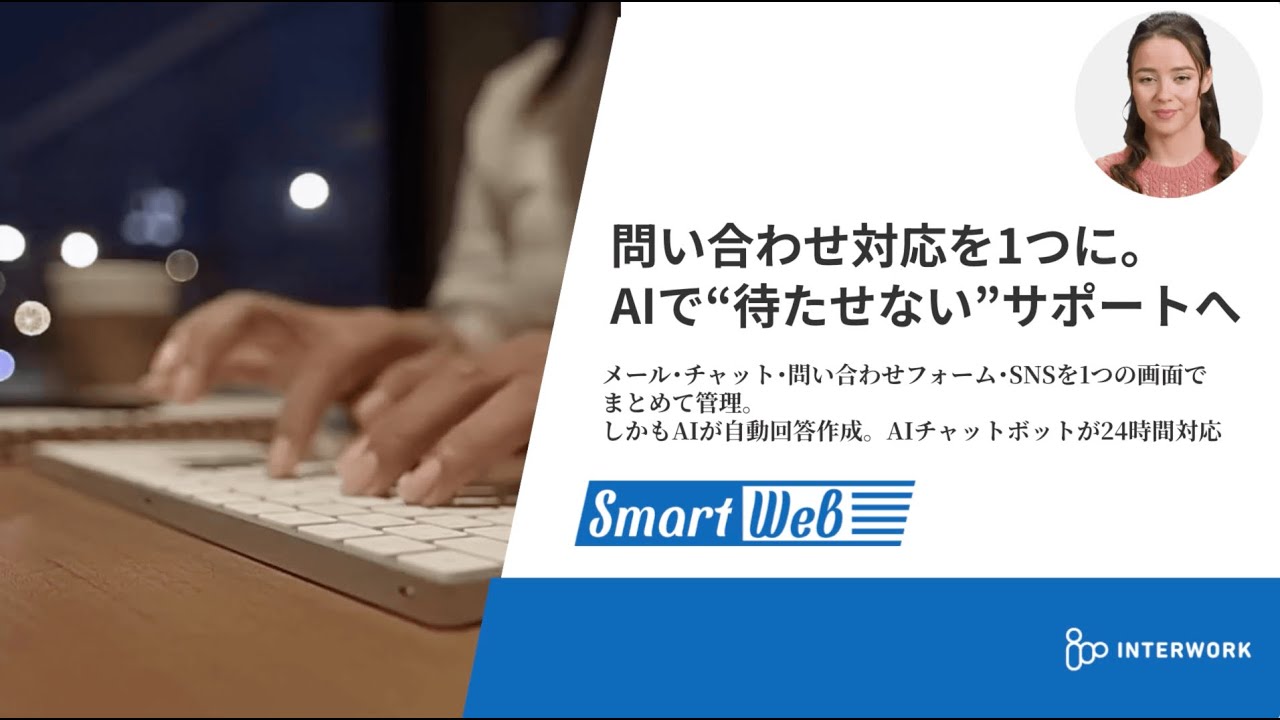
SmartWeb: How AI-Powered Customer Support Transforms Small Business Operations
Discover how SmartWeb combines LiveAgent ticket system with FlowHunt AI automation to deliver 24/7 c...

What is a Ticket System in Customer Support?
A comprehensive guide to customer support ticket systems, from basics to implementation and AI integ...

No IT Staff? No Problem! AI Solutions SMEs Can Start Using Today
A comprehensive guide to AI implementation for SMEs without IT staff. Achieve operational efficiency...

